The Forge: Salvage, Upgrade, Merge
How to turn spare drops into Soulfire, focus upgrades on the gear you keep, and merge three matching items into a higher rarity.
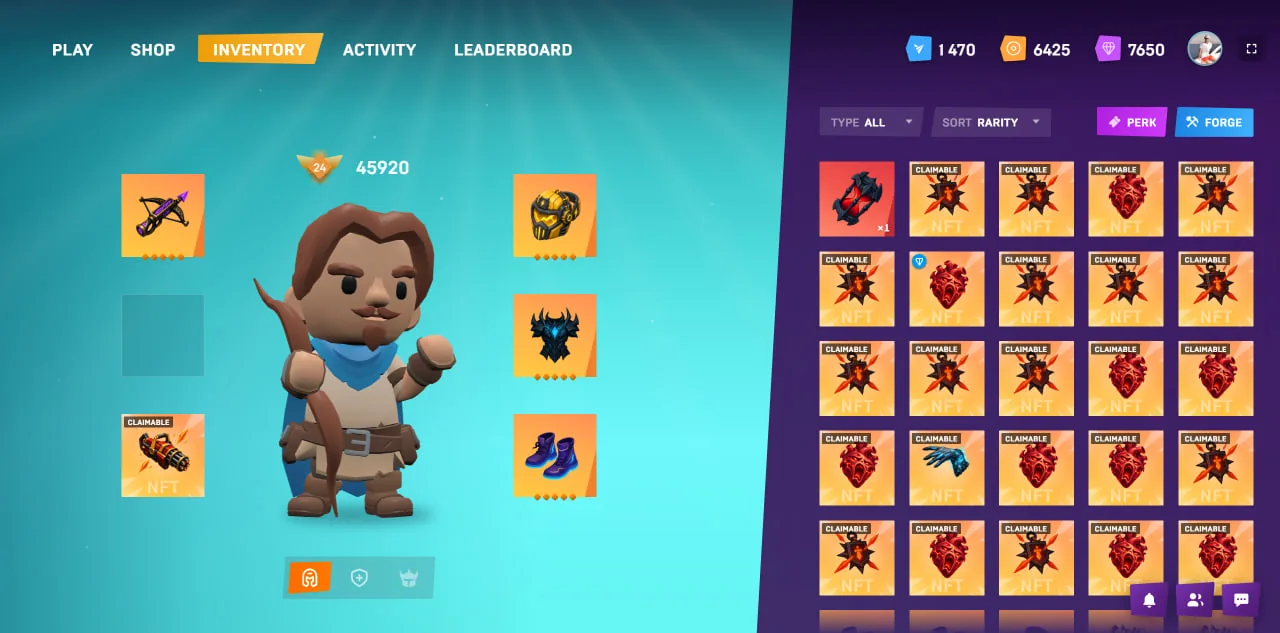
Drops pile up fast in Level Legends. Some are upgrades, most are not, and a few are copies of something you already own. The Forge is what turns that pile into progress. You use it between battles, and it does three jobs: salvage, upgrade and merge.
Salvage: spare gear into Soulfire
Salvaging an item you don't want gives you Soulfire. It is the simplest way to get value out of a bad drop.
Before you salvage anything, check two things:
- The item is not currently equipped.
- The item is not one of the copies you need for an upcoming merge.
The second one is the classic mistake. A drop that looks useless on its own might be the third copy you were waiting for.
Upgrade: invest in what you keep
Upgrades put resources into one specific item. That is the key word: specific. Resources spread thin across every piece of gear you pick up will not do much. Resources concentrated in the items your build depends on will.
So before upgrading, ask yourself whether you will still be wearing this item after a few more runs. If the answer is "probably not", hold off.
Merge: three into one higher rarity
Merging combines three matching items into one item of the next rarity. Item families move through Common, Rare, Epic and Legendary versions this way.
A few things to know:
- The three selected items are consumed by the merge. Review all three before you confirm.
- Merge costs are paid in Soulfire. Item detail pages on the Equipment & Items wiki show the cost for the target item.
- Keys are excluded from the normal equipment Forge flow, so you won't be merging or salvaging them like regular gear.
This is where salvage pays off. Soulfire from the gear you break down helps pay for the items you build up, which is why salvaging the right things matters.
A sensible order early on
If you are not sure where to start, this order works well for early progression:
- Keep a complete equipped set.
- Figure out which stats support the modifier combinations you like to pick during runs.
- Salvage equipment that has no value for your build or for a merge.
- Upgrade the items you expect to keep.
- Merge only after checking every matching copy.
Step 2 is the one people skip. Your modifiers change every run, but you probably have favorites. If you keep reaching for the same kind of picks, your gear should back them up. The Modifiers page is useful for thinking this through.
Quick checklist before you confirm
- Is it equipped? Unequip or pick something else.
- Do I need it for a merge? Count your copies first.
- Am I upgrading something I'll keep? If not, save the resources.
- Did I look at all three merge items? They will be gone afterwards.
The full reference is on The Forge wiki page. If you are new to the game, the Getting Started page explains why gear matters so much: modifiers end with the run, but your equipment stays.